
01 Oct Generate Data Sheets: Automated & BMEcat-Compatible with CatalogExpress
Do you want to automatically generate and distribute product data sheets and corresponding digital catalogs using a single software solution?
With the versatile SaaS solution CatalogExpress and the integrated priint:cloud connector, you can manage these and many other print automation and digital catalog use cases within one powerful feed management platform.
Manually creating data sheets is often time-consuming, error-prone, and can easily result in inconsistent versions. With CatalogExpress’s data sheet automation, you can eliminate these risks and significantly streamline your processes.
In addition to precise data sheet generation, digital catalogs creation, and BMEcat data sheet integration, the data transformation tool offers even more possibilities. Data sheets and standards such as BMEcat 2005, BMEcat 1.2, or ETIM BMEcat can be generated from your PIM, ERP, DAM, MDM, or even Excel CSV files—and automatically distributed to your customers, marketplaces, and industry portals.
Your benefits with the SaaS solution CatalogExpress and the priint:cloud for generating data sheets, data standards, and digital catalogs:
Data hub / Single Point of Distribution for data sheets, digital catalogs, customers and marketplaces
Automatable data transformation processes
Generating data sheets with product and language diversity, country- and channel-specific labeling, regulatory compliance, and packaging variations
Only one-time data mapping required
priint:cloud format template already integrated
Various pre-integrated connectors to systems such as PIM, MDM, and more
Ensuring optimal data quality through validation processes
Flexible data delivery options via API, (S)FTP, email, and more
Would you like to optimize your data sheet and BMEcat generation processes to achieve greater success with your data recipients—such as better listings with wholesalers, increased visibility on marketplaces, and higher sales? Then let’s get in touch!
How to Automatically Generate Data Sheets With priint:cloud
In the user-friendly mapping UI of CatalogExpress, you assign your source attributes—whether from individual XLSX or CSV files, or systems like PIM, ERP, DAM, or MDM—to the corresponding target fields within the desired data sheet or data standard structure, such as BMEcat or marketplace-specific formats.
Nearly 100 data refinement functions, some powered by AI, support you in customizing your data transformation. For example, you can merge multiple short descriptions into a coherent long text or automatically edit images using the integrated ImageMagick functionality.
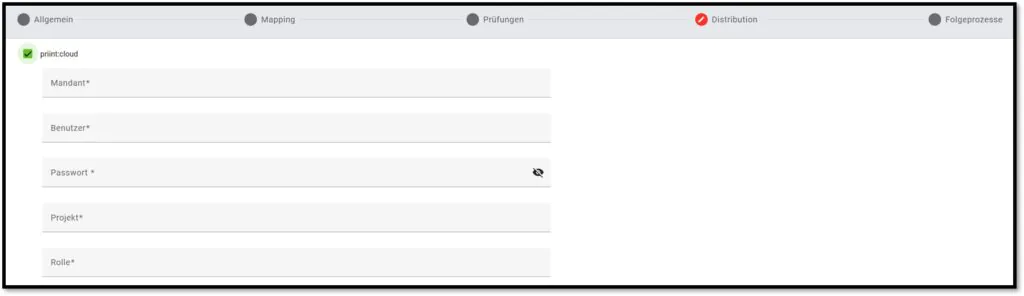
Once the data sheet has been generated and validated, simply go to the Distribution menu, select priint:cloud, and enter your authentication credentials. Your optimized data is now ready to be seamlessly transferred to priint:cloud.
Generating Optimal Data Sheets – This Is How the Automation Workflow Works
Despite its wide range of features, using CatalogExpress as a Single Point of Distribution is remarkably intuitive. As a long-standing priint partner, nexoma has extensive expertise in automating layout processes — and with CatalogExpress, you have access to multiple flexible options.
Here’s an example of how the data sheet generation process works, including automated delivery to priint:cloud:

1. Choosing the Data Sheet Layout
Data sheets always follow a specific structure that best fits the respective context and use case. As a foundation for automated data sheet generation, you define custom layouts in Adobe InDesign—allowing you to incorporate your corporate design. Alternatively, you can choose from existing standard layouts. These layout configurations are then simply stored in priint:cloud.

2. Data Sheet Mapping in CatalogExpress
Once the data sheet layout has been defined, the next step is data mapping. In this process, attributes from various data sources—such as your PIM, MDM, ERP, XLSX, or CSV files—are merged into a single dataset. A major advantage: the SaaS solution comes with numerous pre-integrated connectors to leading PIM systems like Akeneo, ATAMYA, Contentserv, Crossbase, OMN by Apollon, Pimcore, and Viamedici. MDM systems such as Informatica and Stibo STEP, as well as databases like MongoDB and MySQL, can also be connected as data sources. A wide range of built-in data refinement functions enables you to perform customized, high-quality data transformations tailored to your specific needs.
3. Generate and Automatically Distribute Data Sheets
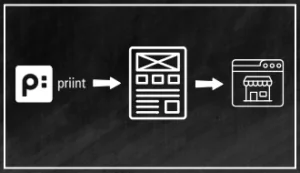
Once all data has been properly prepared, it is sent to priint:cloud, where the actual data sheet generation takes place. Individually configurable data validations ensure optimal data quality. Finally, you can easily distribute the generated and validated data sheets via API, (S)FTP, or email—to your own PIM system, B2B customers, marketplaces, or industry portals. Another benefit: Sales teams can quickly generate tailored data sheets for upcoming customer meetings or send them directly—on demand and for multiple products at once.
By the way: With CatalogExpress, you can also generate and distribute data standards such as BMEcat, as well as classification formats like ETIM or ECLASS—using the same data you use for your data sheets.
One Data Syndication Software – Multiple Use Cases
As a flexible SaaS solution, CatalogExpress covers a wide range of use cases. In addition to generating various data standards for industries such as HVAC, office supplies (PBS), the tooling industry, or the electrical sector, the data syndication tool also enables the easy creation of customized data sheets. In cooperation with our partner of priint Group | WERK II and the integrated priint:cloud connector, optimized data can be delivered to priint:cloud quickly, easily, and efficiently. For each use case, only a one-time data mapping is required—after that, every process can be repeatedly automated. Thanks to its cloud-based architecture, there’s no need for additional IT infrastructure or separate server environments. Make CatalogExpress your central data hub for data sheets, data standards, classifications, and more.
In addition to the already mentioned use case of generating data sheets, CatalogExpress can also be used for the following print automation processes:
Generate Digital Catalogs from Data Standards
In addition to creating individual or multiple data sheets, CatalogExpress also allows you to generate digital catalogs. The key advantage: besides connecting your PIM, ERP, DAM, or MDM systems as data sources, you can also use existing data standards as input.
For example, if you already have a BMEcat XML file containing standardized product data and essential information for catalog creation, CatalogExpress enables you to convert it into a suitable PDF file. Thanks to its powerful conversion features and the ability to use predefined target format templates or create your own, you can generate digital catalogs quickly and flexibly.
Embed Data Sheets into Data Standards like BMEcat
In addition to generating data sheets and creating digital catalogs, CatalogExpress also allows you to embed generated data sheets into the structure of data standards such as BMEcat. A clear and user-friendly mapping UI lets you assign your attributes to the corresponding target fields—whether for data sheets, BMEcat, or marketplace formats. Numerous data refinement functions support you in performing tailored data transformations. The BMEcat file enriched with data sheets can then be directly distributed via the integrated priint:cloud connector.
This BMEcat enrichment helps data recipients—such as wholesalers—list your products with clear, transparent, and structured information. It not only improves product visibility but also enables better comparability of similar items. At the same time, well-structured data sheets with optimized product data increase purchase intent—especially when competing product data is vague or poorly maintained.
Many Features – Lots of Possibilities
Aside from using CatalogExpress as a BMEcat solution, ETIM xChange tool, or data sheet generator, you also benefit from many additional features. There’s a reason why a chameleon is the mascot of our feed management and data syndication software: CatalogExpress is as adaptable as your needs. See for yourself and decide how much flexibility you want from CatalogExpress!



Looking for more features?
Would You Like to Integrate Data Sheets into Additional Data Standard Structures or Generate New Data Standards?
In addition to generating data sheets, creating digital PDF catalogs, and the mentioned BMEcat use case, CatalogExpress enables you to generate, validate, and distribute many other data standards. Using the intuitive data mapping interface, you can assign source data from your PIM, ERP, DAM, MDM, or individual Excel/CSV files to the appropriate fields of your desired target format. Predefined format templates and customizable validation processes ensure a tailored and high-quality generation of the required data standard. The final delivery to data recipients—such as industry portals, marketplaces, or B2B customers—can be carried out via API, (S)FTP, or email. This simplifies your data exchange and significantly improves the quality of your electronic catalogs.

Generate Construction Industry Standards: DPB and FAB-DIS
With CatalogExpress, you can not only generate data standards like BMEcat for the electrical industry, but also create and distribute standards for other sectors. This includes the German construction industry standard DPB as well as the French FAB-DIS format.

Generate HVAC Data Standards Like DQR and BMDG
CatalogExpress also supports the automated generation, validation, and distribution of industry standards used in the Sanitation, Heating, and Air Conditioning (HVAC) sector. This includes the German Data Quality Guideline (DQR – “Datenqualitätsrichtlinie”) as well as the internationally recognized Building Master Data Guideline (BMDG).

Generate Classification Standards such as ETIM, ECLASS, GPC, and UNSPSC
In addition to data standards such as BMEcat 1.2, BMEcat 2005, and ETIM BMEcats based on various guidelines, you can also generate and provide classification standards like ETIM, ECLASS, GPC, and UNSPSC. CatalogExpress also supports classification changes and version upgrades. Built-in data validations ensure that all standards are generated accurately and completely.
Looking for More?
CatalogExpress also offers powerful features and integrations to support your omnichannel strategy. With preconfigured templates, you can easily prepare and publish your product data to a wide range of e-commerce marketplaces—especially in the B2B sector, such as Mercateo Unite, Amazon, Galaxus, Conrad, or Shopware 6—as well as to procurement platforms.
Schedule a Consultation Now